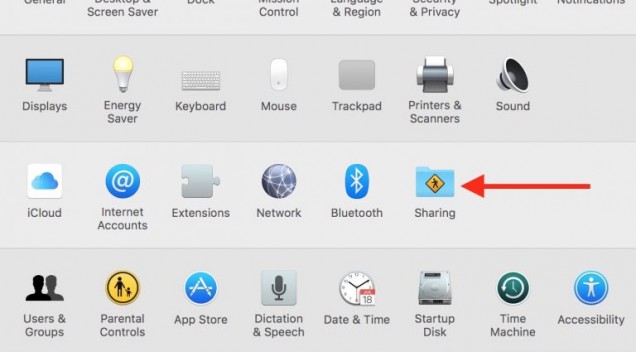
Many of the users suffer when it comes to change the name of your mac system. Step 1: In the Menu bar, go to  > System Prefe
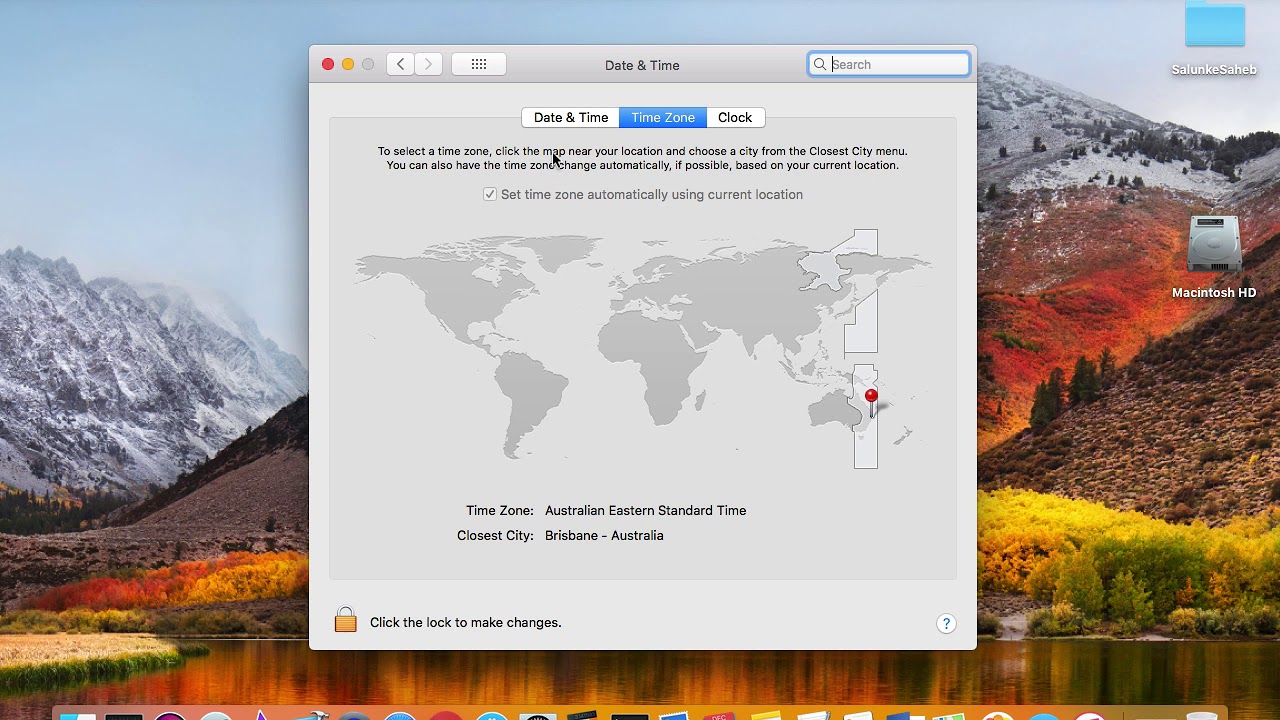
Apple is doing inventions daily to make the OS perfect and easy to use. They make changes on daily bases. By default, your time zone is being set according to your location automatically. However, you can a

By default your main website is loaded from the public_html folder of your account. The public_html directory is also called web root folder or document root folder. If you would like to keep your site’s files in a sub folder of the public_html, and do not want the sub folder to appear as a part of the URL to your website, you
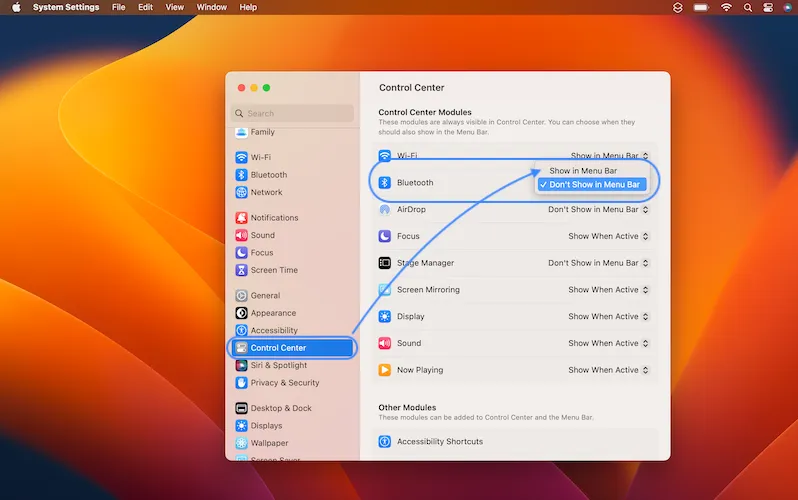
Mac OS Ventura Bluetooth Icon issue Bluetooth icon missing from menu bar in macOS Ventura? You’re not able to quickly edit Bluetooth status and check connected accessories on Mac? This is the big update from Apple. Apple is a technical giant and they always try to make our life simpler an
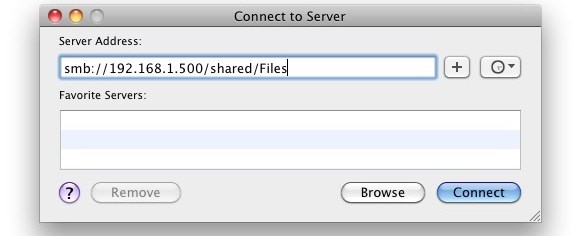
Learn the easy way to connect and map a network drive in Apple MacOS. It's never easy to MAP network drive to your MAC but we are listing some easy way to do so. Map a Network Drive In the “Finder“, select the “Go” menu, select “Connect to Ser

Dynamic website designing required advanced and more complicated coding than static websites designing. The layout of the pages and the content of the web pages are created sep
Webmaster tools, as the name indicates is a collection of tools for webmasters, site owners and blog